
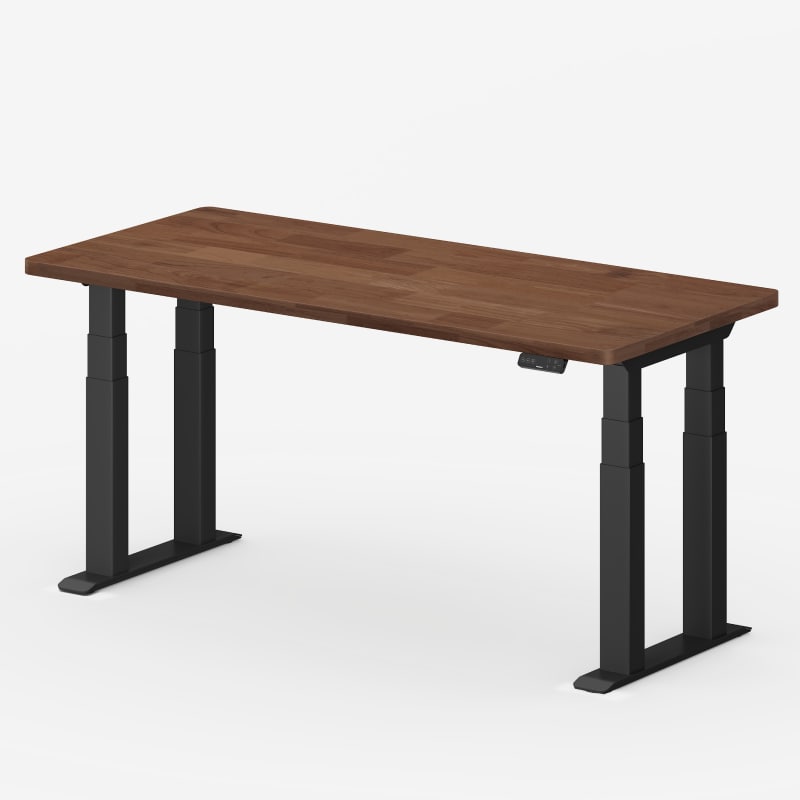
Flexispot - E7 Plus Max
Running these analyses costs money. Buy through my links to support the site! I may get a small commission for some links, and it doesn't cost you anything. Thank you!
Reddit Reviews:
Topics Filter:
Coming soon
Based on 1 year's data from Mar 17, 2026 How it works
 Brosemite_Park 1.0
I just got it today! Installed the frame to my tabletop and plan on doing some testing with it tomorrow and will update on its sturdiness. But if weight has anything to do with sturdiness....this should be quite sturdy lol. (Two people needed like the instructions say to turn the table over right side up is definitely not a suggestion)
CleanWriting2363 1.0I got e7 plus max a couple of months ago and am very happy with purchase. One thing to note about e7 plus max was that it doesn’t come with pre drilled holes. I had to spend some muscle power to align it properly before drilling because you have to assemble the frame first and then put it on top of the table top. The frame is extremely heavy and aligning it before drilling was particularly painful. The drilling part was easy
fabuba10 1.0This is my first standing desk for my home office, and my main priority was finding something that wouldn't wobble. The desk at my day job has two legs and my monitors shake every time I type, which is a little distracting. After some research, I landed on the four-leg FlexiSpot E7 Plus Max. Since it has four legs and four motors, I figured this would be a pretty nice desk. I compared the E7 plus max to a couple competitors such as Desk Haus Peak Pro and the uplift V2. I felt the E7 plus max provided the best value and loved having the different desktop options to choose from at the product page. I haven't physically seen the others in person, but the e7 plux max is built with great quality and I don't see any sacrifice in this regards for getting that good value. I got the 55x28 inch rubberwood top in espresso. First impression taking it out of the box is that this thing is beefy. The legs and feet are really heavy, and it definitely feels like a quality piece of hardware. The stability is exactly what I was hoping for. I’m happy to report that whether it’s at my sitting height (26") or standing height (40.9"), the desk is solid as a rock. No monitor wobble at all while I'm typing. It’s a huge improvement. A couple of notes on the top I got. The espresso color is richer and not bland as it looks on the website, which I was happy about. Also, if you’re measuring for a tight space, the top wasn’t exactly 55x28—I measured it at 55 1/8" by 27 5/8". Not a big deal, but something to be aware of. This could help for cable management planning though underneath the desk. The biggest project was cable management. The desk has two metal crossbars underneath (one front, one back), which makes it a bit tricky. FlexiSpot gives you a magnetic cover that neatly hides the desk’s motor and power cables, which is a good start. But I have a ton of other stuff—computer connections, speakers, chargers, a KVM switch, and two thunderbolt hubs—so I bought a large Humanscale NeatTech mesh tray to wrangle it all. This is where I had to get creative. To install the tray's hooks at the back, I needed about 4.2 inches of clearance. The desk frame only gave me 3.6 inches of space from the edge of the desk to the crossbar. Thankfully, the fix was easy: I just moved the rear crossbar forward an inch, which gave me the space I needed. It means I have a little less clearance at the front (about 2.6 inches), but there's still a ton of open space in the middle, and it works perfectly for my setup. For the install of the frame to the desk top, there were pre-dilled holes but I could not use those exact spots because I have to move the rear crossbar forward an inch to install the cable management hooks from humanscale. So making sure the crossbars and side brackets were completely straight was a challenge, I did that by measuring how far they were to the end of the desk top, but I am sure each person might come up with a different way for this part. I did not want to drill the pilot holes before making sure these were completely straight. If this sounds a little challenging, I would watch some helpful tutorials online on how to install a standing desk frame to a desk top to give you some ideas. As for using it day-to-day, the motors are pretty fast and not too loud. You can hear them, but it’s a smooth sound, not jarring. The keypad is also great, and the lock feature has already proven essential thanks to my infant who loves to press buttons. Overall, I'm really happy with it. It completely checks off everything I wanted.
FlushedNotRushed 1.0My Deskhaus Peak Pro with 3 monitors (2 34" UW + 1 27") has no wobble with all of them on monitor arms. This is for both sitting (26") and standing (41") heights. I think the Deskhaus Peak Pro and the new Flexispot E7 Plus Max are the best you can get for least wobble?
I think the Peak Pro you can get for about 800 shipped. Around the same for the E7 Plus max? Worth the extra $100 imo. Mine has been problem free and no wobble. Plus, these standing desks will last years as they all have 10-15year warranty. Just need to change the desktop if you want something new. Worth the extra $$ if you spend 5-6+ hours a day at it.
ILikePutz 1.0looks like they may have listened to my video feedback. edit: just ordered one
just checked tracking. It will be here tomorrow.
I'd be willing to bet the 2-Leg E7 Pro is more stable than the E7 Plus given our testing of the E7 Plus. You're also not dealing with two hex rods to drive the columns. There's a reason the frames are so closely priced. The 2-Leg is the best version of it while the Plus is a stripped down 4-leg made to give the appearance of stability. >The bitterness of poor quality remains long after the sweetness of low price is forgotten. - Benjamin Franklin (supposedly)
Buy both and see for yourself. I think you’ll see and feel the difference in quality between the two with the E7 Pro being better. If you truly want a stable platform. It’s their E7 Plus Max.
LoPan76 1.0I got the same frame for my butcher block desk (72" x 36") and love it!
OSRS_Much_Fashion 1.0I have the plus max, which I know is a slightly higher price point, but I would highly recommend it. I often have it up close to 50 inches when using a walking pad and it's very solid. I'm not entirely sure how to describe the difference in the feet between the plus and the plus max, but I think they did something slightly different with them that makes it's a little more stable on the plus max.
Ramzes888 1.0Yes, but you can check our new E7 plus max, it can pair with your 80" top well, and it's more stable than E7 plus, if you buy it in US store, feel free to DM me to get a coupon code
At standing height, when you’re typing or moving the mouse around, even with bigger motions, the monitor doesn’t really show any noticeable shake. That’s the level you get with the E7 Plus. If you lean on the desk a bit, or rest your chin on your hands while moving them around, you’ll see some visible wobble on the E7 Plus. With the E7 Plus Max though, that doesn’t happen, even if you give it a little push, there’s hardly any movement.
At standing height, when you’re typing or moving the mouse around, even with bigger motions, the monitor doesn’t really show any noticeable shake. That’s the level you get with the E7 Plus. If you lean on the desk a bit, or rest your chin on your hands while moving them around, you’ll see some visible wobble on the E7 Plus. With the E7 Plus Max though, that doesn’t happen, even if you give it a little push, there’s hardly any movement.
Yep, the E7 Plus Max is definitely our new model. Think of it as an upgrade that combines the best of the E7Q and E7 Plus. It uses the same beefy crossbar as the E7Q — compared to the E7 Plus, which only has a single crossbar front and back, the E7 Plus Max has a double-crossbar design. We also extended the desk feet compared to the E7Q. The E7Q kept shorter feet purely for design reasons, not tech reasons — the designer thought it looked better that way (and yeah, the DeskHaus owner wasn’t a huge fan about this design). For the E7 Plus Max, we lengthened the feet for better stability. It’s still a four-motor setup, so it can lift a lot. Right now, the price is an early bird special, so it’s cheaper, and if people like it, we might keep it at this price long-term. Honestly, it’s way more stable than any two-leg desk, and even among four-leg desks, it’s definitely one of the sturdiest. We welcome anyone to test it out. If you’ve got the space at home, you can even get an E7 Plus Max alongside other brands to compare. We have a 30-day no-risk return policy — if after comparing you feel ours isn’t up to par, just reach out to me and I’ll handle the refund personally
Our E7 plus 4-leg standing desk can go to 26", with 1" desktop, will be 27", our E7 plus max, a more stable 4-leg standing desk model, can also go to 25.8"
If you want better stability, the E7 Plus is the way to go. Or, if you’re willing to stretch your budget a little more, the E7 Plus Max is an absolute tank, rock solid.
Sgt_Jenkins 1.0Flexispot E7plus max. My desk houses two custom liquid cooled PCs in it and it handles it with no problem the desk is around 200lbs . No wobble. 4 motors. Under $700.
Witty_Recipe_3697 1.0I was in the same position about a month ago, debating between those same two options. Went with the Plus Max since I preferred the look of the provincial rubberwood top versus Deskhaus' laminate options. Plus it was cheaper than the Peak Pro, and especially so since I bought it during Black Friday. Have only used it a little, but current experience is as follows: it wobbles at standing height a little, but only if you push it on purpose. Typing on a keyboard doesn't seem to cause any noticeable monitor shake as far as I can tell. I'm only using one monitor at the moment and not on a monitor arm. Those on an arm may wobble more. Also, the desk is currently on relatively thick carpet and for reference my height is 5'9". The motors are much louder than I would have liked but I also don't have anything else to compare it to since it's my first standing desk. All in all, I would say you can't really go wrong with either of those choices. Both are probably among the most stable four legged desks. One last note: Flexispot customer service is not great and many others on here seem to agree with that sentiment. In short, good quality and competitive prices but poor communication.