
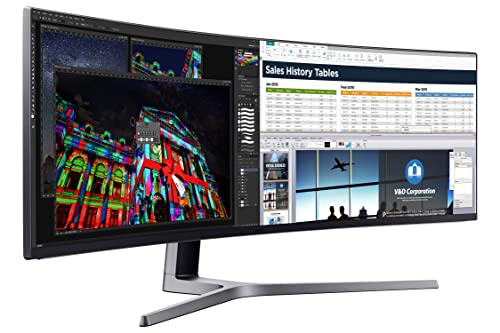
Samsung - 49" QLED Gaming Monitor with 32:9 Super Ultra-wide screen
Running these analyses costs money. Buy through my links to support the site! I may get a small commission for some links, and it doesn't cost you anything. Thank you!
Reddit Reviews:
Topics Filter:
Based on 1 year's data from Mar 17, 2026 How it works
 nierh 1.0
I have the Samsung C49J890DKE , 3840x1080 144hz VA panel. I don't know why it's $1000 on a quick google search, but I got mine for $700 at a local Costco in 2019. This should be cheaper today if there are still stocks, but idk. 1080p panels are easier to run with a mid-tier GPU. This path is the only way if you want it cheap. Just last year, I saw another Samsung 49" at Costco at roughly the same price but it's 1440p. I wish I got that TBH. Anyways, they are cheaper if there is no "gaming" branding. No freesync, no Nvidia extras. Try the used market if you want it cheaper.
peakhunter 1.0No OLED for me because of burn in. I got the Samsung Neo 49” as my main bottom monitor. Cheaper VA 49” Samsung one on top. For 49”, the Samsung Neo is kinda the best because it’s mini led but they have had lots of issues with quality control and it’s no longer being produced. I got a refurb from micro center for about $1,000 and it works fine 99% of the time on HDMI. If you’re not wanting the Neo, any one with 1000R should be good for productivity. My second setup has the Samsung 49” 1000R VA odyssey on the bottom and an Acer 49” VA on top. I got all the VA ones for $550 or less refurbished on eBay or Best Buy open box
PM_ME_YOUR_BOOGER 1.0I have a 49" 3840x1080 and I regret every penny I spent on the fucking thing
It's unwieldy for anything but sim racing and the Samsung panel I bought decided to start degrading severely once it was out of warranty. It takes a full 30 minutes now for it to "warm up" and be usable; it is garbled nonsense up until that point. Bonus: because it's effectively 2x27" 1080p monitors, the physical pixel density is absolutely atrocious -- text never looks great. The center of gravity is weird and it's heavy so installing it on anything other than the stand is scary without a second person, and the mounting hardware I used couldn't support the weight well so it was nearly impossible to adjust the pitch. I'd have much rather gone with standard flat panels with a better resolution in retrospect. The thing I bought is effectively a $1000 reminder of my own folly now.
guidaux 0.1Yeah seems like a pretty good deal. I bought my QLED G9 for about $899. It has 240hz that I underclock to 120hz. I don't know how the QD OLED differs but it seems close to mine but newer.
Impressive_Edge6191 0.1I am having the same remorse over the Samsung 49” q9 and ready to pack it back up and exchange for the LG 45”… just to ask you - you ‘are’ quite happy with the 45” all in all? It’s the vertical limit that is driving me crazy, it truly feels like 1/2 of a really wide screen.
coolcatric 0.0The answer I was looking for. I have Samsung 49 non oled version and 77 C2. I have stopped gaming on 49 and game only on C2. Hoping with 45 5k2k I can move back to monitor gaming setup.
leshq 0.049" Samsung would be definitely better for work. I tried to work on 42" LG C2 as many really advise that TV as a main monitor. It was good for gaming because of OLED colors and 4k@120hz resolution, but text was blurry in some cases. I do a lot of diagraming, so it was really painful. I switched back go Samsung 49" non-oled and happy about it. Super good for productivity and good for gaming although it's not 4k and non OLED, the image quality is still good enough for gaming. 32:9 is also much better than 16:10 for both use cases imo.
nuclear_fizzics 0.0I will say that even though it's not OLED, the monitor that you linked is also fantastic. I've been using it for about 60% work and 40% gaming (usually closer to 70/30, but I've been gaming more since I got the monitor) and I love it so far. The panel is a noticeable step up from any other monitor that I've owned up to this point
Reputation-Special 0.0Triples are best, if you have the space. For sim racing, 49" 32:9 is much better than 38" 21:9, because, well, it's much wider. The most curved ones like the Samsung G9 (non-OLED) will have quite distorted edges when showing a single projection yes, but you can set them as triples with a shallow angle to counteract that. iRacing and ACC have native implementations to compensate for the curve, so they won't have this kind of distortion at all. BTW, tighter curves are preferrable for sim racing, the wrap-around effect feels more natural than having to squint to see the edges of a very wide and flatter screen. I would never consider paying triple the price of a 34" for a 38". There is a nice difference of course, but it's not massive enough to justify the massive difference in price.
roirraWedorehT 0.0I'll never buy another Samsung monitor. I have a non-OLED 49" Samsung. It hasn't had a firmware update since, at the most, six months after I bought it a couple of years ago or so. Sometimes, usually when switching inputs between my personal desktop and my work laptop, the screen will go completely black. Even the OSD won't display, although usually it'll still operate. The only fix is to power the monitor off and back on, using either the non-visible OSD if it's working, or just using the power switch on the surge protector I have it connected to. This happens anywhere from 4 to 16 times a week, I would guess. Also, updating the firmware did not work as easily as it leads you to believe. It was a lot of trial and error.
45. Although I'd personally seriously consider a Dell with built-in KVM and ability to control video source through the command line. I have the 49 (non-OLED) Samsung, and I wouldn't buy another one, but I can't justify getting rid of this yet. The screen itself is great.
My 49" works great for both my work and personal use. I do wish it had a built-in KVM so I didn't have to push separate buttons on the monitor, keyboard, and trackball, to switch, but 🤷♂️. Been using it for a year and nine months. I don't recommend Samsung, however (which is what I have, and I can't justify replacing it). I was recently tempted by the Dell ones which have a built-in KVM, but I wanted 1ms response, and I think all theirs had 5ms. I do wish Microsoft would use AI to figure out how people on modern equipment use windows. No, I don't ever want a window to be partially off-screen, et cetera. But that's not specific to ultra-wides and at least there are keyboard shortcuts to fix it.