
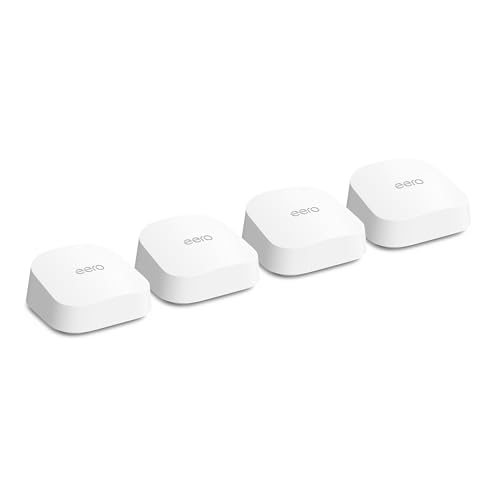
eero (Amazon) - eero 7
Running these analyses costs money. Buy through my links to support the site! I may get a small commission for some links, and it doesn't cost you anything. Thank you!
Reddit Reviews:
Topics Filter:
Based on 1 year's data from Mar 17, 2026 How it works
Liked most:
18
2
"I had more issues with the Spectrum router and modem connection than the Eero router and Spectrum modem connection, to the point where I was in the store swapping out equipment every other month."
"I ended up getting the eero mesh system and those work flawlessly"
"After 6 years of using it for all my security cameras and IoT it’s basically pointless to run CAT cable throughout a house in today’s world. ... I have 3 wireless cameras on my deck, 2 on my garage, one on my door, 2 inside my home. ... Including the other random 70 devices throughout my basement (movie room), office (2nd floor) in a 3500sqft home and have literally zero issues, from stream live security streams, streaming movies, gaming doesn’t matter"
6
0
"EERO is user friendly, easy to setup, solid connections, the app does everything you would need."
"EERO is user friendly, easy to setup, solid connections, the app does everything you would need."
"EERO is user friendly, easy to setup, solid connections, the app does everything you would need."
28
4
"Eero 7 is super impressive. ... I’ve done an eero 6 system in a 17,000sq ft home plus finished basement, pool house, detached garage and sports complex and it works flawlessly."
"I ended up getting the eero mesh system and those work flawlessly"
"I have a tri-level home with 3 Eero units. ... I'm using wifi only to connect all three and have no gaps in coverage. ... I can walk anywhere on my property and have no less than 40 to 45% signal strength."
16
0
"Very easy to install you go into the app and add a node."
"The eero mesh system is pretty foolproof and great for users who don’t want to tinker. ... I highly recommend it for people who just want to plug their router in and forget it exists"
"They work flawlessly for a set it and forget it internet experience."
3
0
"After 6 years of using it for all my security cameras and IoT it’s basically pointless to run CAT cable throughout a house in today’s world. ... I have 3 wireless cameras on my deck, 2 on my garage, one on my door, 2 inside my home. ... Including the other random 70 devices throughout my basement (movie room), office (2nd floor) in a 3500sqft home and have literally zero issues, from stream live security streams, streaming movies, gaming doesn’t matter"
"Perfect for gaming, streaming, and big households."
"Eero is definitely the best mesh networking out currently. ... We have hundreds installed with 0 callbacks."
Disliked most:
8
5
"I messed with them for a year and gave up. Not reliable enough for WFH."
"I messed with them for a year and gave up. Not reliable enough for WFH."
"My ISP sent Amazon's Eero mesh system, and that was terrible. Constantly dropping out."
0
2
"I had a mesh system but I found it so frustrating. It was a dummy system and if there were latencies I couldn’t tell where they were - service provider or in-network. I was constantly tinkering with the apps, which could tell me nothing."
"I had a mesh system but I found it so frustrating. It was a dummy system and if there were latencies I couldn’t tell where they were - service provider or in-network. I was constantly tinkering with the apps, which could tell me nothing."
"My only crit is that they make it hard to set static IP and port forwarding on your home network (not impossible, but the UI is clunky)"
2
1
"It doesn’t NEED one but you definitely should use one. It won’t be great without one."
0
1
"One frustration is the price. The Eero kit was about $300-400, and if I want to extend it further I’d have to buy individual pods at like $169 each. ... I don’t love the feeling that I’m being nickeled and dimed into buying endless pods to make the system work right."
 AffluentNarwhal 1.0
I have an eero 7 mesh system. The modem they rent is a Eero 7 Max I think, but it’s a single unit so you’d still need to purchase some to make a mesh. I think it’s better to have a decent mesh than a single high power router tucked away in a corner of your house. Honestly, it’s more than I need, but I opted for it as a balance of speed/future proofing and coverage for the house. The speed is very good, it was a breeze to set up, and I’ve had no issues so far.
Best_Market4204 1.0\* tell them you want a new contract \* i bought eero 7 ( 3 pack) Actually i bought them off of facebook market place from someone in another state. Paid like $7 for shipping. Got it for $200, MSRP on a 2 pack is $279 or $230 on sale.
blah111222334445557 1.0Eero Pro 6E or Eero 7 it’s plug and play,future proof will give you everything you’re looking for without all the technical jargon blasting you in the face.
Charming_Leather3631 1.0Eero 7 on the jungle web is simple to set up and effective. I would get the 3pack if you have a house.
ConnectYou_Tech 1.0Eero is definitely the best mesh networking out currently. We have hundreds installed with 0 callbacks. Eero 6e is pretty solid, but you could always jump up to the Eero 7 lineup.
crinkneck 1.0I use the eero 7 and I’m happy. I’m sure the 6 would do the trick but might as well spend a bit for the for the 7, in my view.
Same here. Bridge mode + Eero mesh routers.
DarkRyoushii 1.0Unless you need something specific from ubiquiti (like a lot more network ports), go for Eero 7 with optional wired connections between the base stations.
dean1d 1.0What’s wrong with base 7? Besides not having 6g which most devices especially security cameras are not compatible with. I honestly want to know because I have some and want to know if I Fed up lol
Equivalent-Travel712 1.0Black Friday sales going on, if you want future proof and ever plan on going above a 1 gig ISP plan, I would reccomend the 3 pack eero pro 7 at $549 currently. I have this in my 2 story 3000 sqr ft house plus I needed to add an eero 7 base model in the attached 3 stall garage to get my outside ring cameras better coverage. A 2 pack honestly would cover the house, but I needed outdoor coverage so on the main floor I have them placed on each side of the house to oush wifi outside toward the pool area and other ring cams and centered the one in the basement. You want as few as needed or you will cause problems / interfierence. If you do not have any wifi 7 products, have 1 gig or under isp which is fine for 90 percent of households the eero pro6e 3 pack is at $329 now. The have one 2.5 gig port and one 1 gig port so 1 gig isp max Bothoth the above options are great if you are doing a wireless backhsul as they will mostly use the 6 ghz channel to communicate. A wired backhaul is always best though. If you do not have ethernet ports in all your rooms, you probably have coax throughout your house. You can do wired backhauls through coax with MOCA 2.5, this is what I do. I reccomend gocoax moca 2.5, they have 2.5 gig ethernet ports. So you would need 3 moca 2.5 adapters for a 3 pack to convert. It is best to segregate your moca network from your isp coax, butyou would need 2 seperate coax lines in a room if you are using cable internet isp. If you have fiber then your coax is unused so it would work great for a wired backhsul. You can share the ciax with your isp line but you would need a moca filter. Anyway if you do not have many devices that use 6ghz and have wired ethernet or decide to look into moca for a backhaul and you have a lower budget the eero 7 base models like the one i have in the garage are just a dual band but are MLO wifi 7 and can use 2.4 and 5ghz and can acctually have a faster wifi speed (1.8 gbps) than the eero pro 6e on the 6ghz band which tops out at 1.3 gbps. With mlo the eero 7 uses both bands at the same time. Obviously you would need a wifi 7 device capable of that but with my spectrum 1 gig plan (they over provision to 1200 mbps) I get full speed at the eero 7 in the garage as well as from my eero pro 7s. The eero 7s alo have two 2.5 gig ports, unlike the eero pro 6e. Lots of options, depending on your situation and budget. We are a full smart house with over 120 connected devices so i wanted the better cpu with the eero pro 7. But the price of the 6e now is realy good and if under 1 gig plan you will be just fine thete.
eth0izzle 1.0Yep, blows Ubiquity out of the water and half the price https://www.amazon.co.uk/eero-7/dp/B0D955QZ7R