
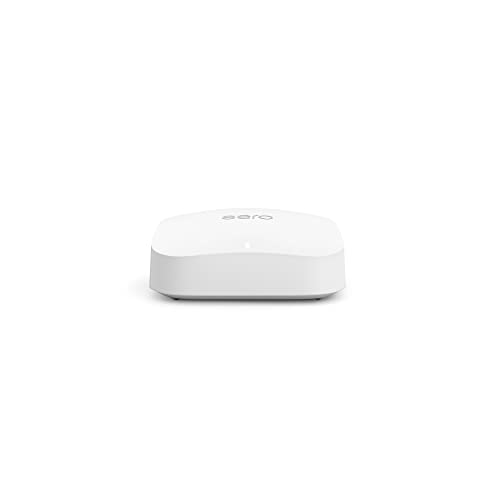
eero (Amazon) - eero Pro 6E
Running these analyses costs money. Buy through my links to support the site! I may get a small commission for some links, and it doesn't cost you anything. Thank you!
Reddit Reviews:
Topics Filter:
Based on 1 year's data from Mar 17, 2026 How it works
Liked most:
39
6
"I have over 190 devices and don't have drops on any of them"
"I ended up getting the eero mesh system and those work flawlessly"
"The most solid "home" equipment I have installed for people that need very little control (no VLANs, advanced routing. Etc) so far is the Eero 6E Pro. ... I've done extensive testing on these and it is the most stable Router I could find in this category. ... These have been set it and forget it devices, as after an install I put the app on the phone for the client, teach them how to do the regular updates and restart them if they have any problems, and I've rarely had any calls for support. ... I then proceeded to purchase two of them for my home to extensively test the meshing and connection quality, and have not experienced the first problem in over 2 years."
29
4
"I needed the speeds mostly for gaming as well ... All my download speeds for games and for cloud gaming have been perfect"
"I had more issues with the Spectrum router and modem connection than the Eero router and Spectrum modem connection, to the point where I was in the store swapping out equipment every other month."
"I have over 190 devices and don't have drops on any of them"
23
0
"Very easy to install you go into the app and add a node."
"The eero mesh system is pretty foolproof and great for users who don’t want to tinker. ... I highly recommend it for people who just want to plug their router in and forget it exists"
"They work flawlessly for a set it and forget it internet experience."
8
0
"I have over 190 devices and don't have drops on any of them"
"After 6 years of using it for all my security cameras and IoT it’s basically pointless to run CAT cable throughout a house in today’s world. ... I have 3 wireless cameras on my deck, 2 on my garage, one on my door, 2 inside my home. ... Including the other random 70 devices throughout my basement (movie room), office (2nd floor) in a 3500sqft home and have literally zero issues, from stream live security streams, streaming movies, gaming doesn’t matter"
"Have rock solid eero pros. ... I mean im a small setup. 30 wifi devices. 10 ethernet devices. And 40 lutrons hardwired."
2
1
"I needed the speeds mostly for gaming as well ... All my download speeds for games and for cloud gaming have been perfect"
"Perfect for gaming, streaming, and big households."
Disliked most:
6
4
"I messed with them for a year and gave up. Not reliable enough for WFH."
"I messed with them for a year and gave up. Not reliable enough for WFH."
"Eero and netgear gave me constant dropouts in WiFi signals."
0
3
"I messed with them for a year and gave up. Not reliable enough for WFH."
"I messed with them for a year and gave up. Not reliable enough for WFH."
"the eero routers have awful wifi signal. I can't even get 200mbps over 2 meters away"
4
3
"I have found my four Eeros using wired back hauls don’t hand a large number of devices very well. ... I do experience network wide drops and Eero reboots. ... My research has shown my issues are not rare when working with a larger number of devices (20+)."
"My ISP sent Amazon's Eero mesh system, and that was terrible. Constantly dropping out."
"My ISP sent Amazon's Eero mesh system, and that was terrible. Constantly dropping out."
0
6
"Eero is pretty set it and forget it but if you want any advanced features at all, or maybe in the future, go with ubiquiti"
"Eero is the simplest to use but has additional features behind a pay wall"
"features like advanced parental controls, ad blocking, and network security sit behind a paid Eero Plus subscription. ... Stock Eero hardware still covers fine, but the extras aren’t free."
0
2
"Eero is the simplest to use but has additional features behind a pay wall"
"features like advanced parental controls, ad blocking, and network security sit behind a paid Eero Plus subscription. ... Stock Eero hardware still covers fine, but the extras aren’t free."
 Aanstadt 1.0
I’m so you think the eero 6e pro is a good choice? I have a few matter smart plugs and the new Apple TV that has thread and three HomePods and three minis, and two thread smart Schlage locks.
I went with the eero 6e pro. So far so good. Set up Was incredibly easy. But having a small issue setting up a couple smart devices. I got everything set up fairly simply. But I’m having trouble getting a smart plug with matter from Kasa hooked up to my HomeKit app as well as my Samsung sound bar. I’m figuring out I believe it has something to do with the smart plug and soundbar are on one band while my phone might be on the 6ghz band. Most of this stuff is over my head and I’m learning a lot as I go. I was wondering if you’ve come across something similar with your eero? I don’t know how to make so my phone can be on the same band as the devices. The smart plug and soundbar work fine in their native apps. And actually worked fine in Homekit with my old router. So it has to be something about the triband that my new eero network offers. Any of this make sense to you?
Adventurous_Fox_6498 1.0I just upgraded from an eero 6e to a UDR7, it’s barely more money and so much better. Eero is pretty set it and forget it but if you want any advanced features at all, or maybe in the future, go with ubiquiti
aoreyes 1.0The Eero eco system is pretty rock solid. I had an Eero 6E Pro with a 6 Pro doing mesh on a 1250sq ft apartment and never had an issue. I recently upgraded to a Dream Router 7 because I wanted to separate the IoT devices and have a network running on a VPN and it's been great. Eero is great but somewhat limited which is why I upgraded to the UDR7.
ArtemUskov 1.0You will not have advantage of 2gb fiber connection with 6e. Even if you connect 6e to isp with 2.5gb port, second port is only 1gb. I recommend hardwire all mesh nodes if it's possible. Unlikely that nodes able to handle more then 500-800 wireless connection for a long time
autotom 1.0Eero is epic. I've got the 6E Pro, they also give you a mesh network for home automation. The latency is extremely impressive, as is the throughput.
Avinor_Empires 1.0Since I've had Sonos gear in my house, I've run three mesh wifi routers: a Netgear Orbi, a Tp-Link XE-75 Pro and now a Eero 6E. By far the Eero has been the easiest, most stable and most reliable of the bunch. The TP-Link was absolute garbage and nothing but a headache for the 6 months I had it.
blah111222334445557 1.0Eero Pro 6E or Eero 7 it’s plug and play,future proof will give you everything you’re looking for without all the technical jargon blasting you in the face.
BlitzBattalion 1.0Idk why you got down voted but I spent about 160 bucks to get two TP-Link Deco XE70 Pro from Amazon to replace my Eero Pro 6e +extender. I also have increased speeds and range. From my research seems like best bang for the buck. That being said the 300 bucks package here is alright if you want to stay in the same ecosystem. Not a crazy deal, but if you need it, you need it.
bothunter 1.0Not sure what the BB rep is smoking -- those are routers. Also, FFS right on the product page it says: "Integrated modem: no"
Routers route packets from the internet to the devices on the network. In consumer routers, they also perform NAT so all your devices can share a single IP address that your ISP gives you. Modems convert whatever underlying WAN signaling into ethernet (Modulator/Demodulator). The fiber equivalent is an ONT or Optical Network Terminal) which coverts the fiber optic(light) signals into ethernet. And an access point bridges your wired Ethernet network to WiFi. Devices can perform one or more of those roles, and many times those roles can be enabled or disabled in the admin page. This is where a lot of the confusion comes from. Many ISP supplied routers also are modems and access points for example. And practically every consumer router available is also an access point. But not every access point sold is a router. In the case of the EERO, one of the nodes will be both a router and an access point, and the other nodes will just be access points. None of them will be a modem or ONT because it doesn't have any ports other than Ethernet, so there's nothing for it to convert.
CockringWarehouse 1.0I’ve got an eero pro 7 with two 6e pros with wireless backhaul. I actually game on my pc connected via lan cable to the furthest wireless node and feels like it’s connected directly to the router as far as packet loss & jitter go. Reading any history of this sub almost makes it seems like a requirement to go wired backhaul but wireless has been exceptional for me for gaming concurrent with streaming 4K on 3 different tvs. Granted my gaming pc won’t max out my fiber connection in terms of MB/sec but the only drawback of that is waiting a few extra minutes on 100gb+ steam downloads. If it matters, here’s GeForce Now (notoriously sensitive) network test from the wireless backhaul https://i.imgur.com/1TRNSUf.jpeg Locally installed online games have seen <10ms ping so. Idk, if you don’t live in a crowded apartment building or microwave shop, wireless is sensible from my anecdotal experience. 👍